Introduction
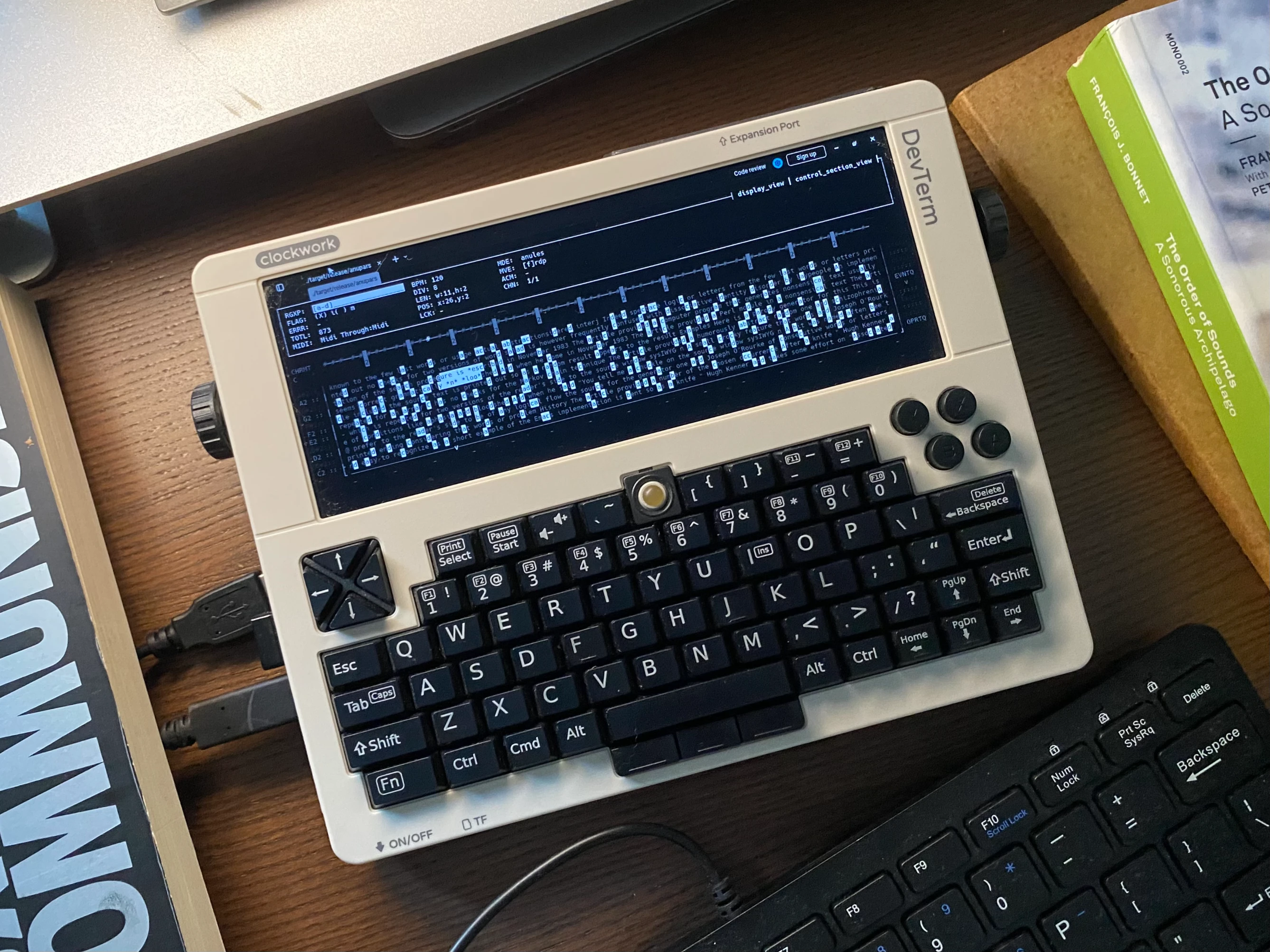
anupars (อนุภา(ส), “tiny following light” in Thai) is a terminal-based musical sequencer driven by regular expressions - a reimagining of anu, built for resource-constrained devices and live performance.
A regex you type becomes your musical rule: matched cells trigger MIDI, everything else passes silently. The playhead traverses a text grid, and the pattern you write determines what sounds.
Features
- Regex sequencing: type any regex, matched cells fire MIDI, unmatched pass silently
- Resizable playhead: a 2D rectangle traverses the grid, move with
h/j/k/l, resize withH/J/K/L - Movement modes:
Forward,Reverse,Pendulum,Random, switchable mid-performance - Sweep mode: vertical crosshair sweeps columns, triggering all matched cells simultaneously
- Sweep tilt: angle the crosshair diagonally to spread triggers across MIDI channels
- Sweep CC: map crosshair position to a MIDI CC value, sawtooth, triangle, or S&H LFO shapes from movement
- MIDI channel splitting: split the grid into up to 16 sub-grids, each on its own channel
- Arpeggiator mode: playhead hops only between regex matches, turning patterns into melodic sequences
- Drone mode: sustains matched notes at a movable vertical line, independent of playback
- Dual spatial keyboard: top (x-axis) or left (y-axis) layout, toggle with
~ - Scale selection: 16 scales including microtonal Thai 7-TET, with per-axis root note control
- Queue system: FIFO event dispatch, push positions and operators, pop to execute
- Adjustable BPM: change tempo live with
>/<, adjust beat division with}/{ - MIDI in/out selector: choose from available devices for flexible routing to synths, DAWs, or hardware
- MIDI clock: full in/out sync: Start, Stop, Continue, Tick, Song Position Pointer
- Tiny binary: ~900 KB release build
Getting Started
Download the latest release for your platform from the Releases page.
macOS: remove the quarantine flag after extracting:
xattr -d com.apple.quarantine ./anupars
chmod +x ./anupars
./anuparsWindows: double-click anupars.exe, or run from PowerShell:
.\anupars.exeLinux: make executable and run:
chmod +x ./anupars
./anuparsOnce running:
- Open the menubar with
Ctrl+b→ select a MIDI output underMIDI. - Type a regex (e.g.
[aeiou]) - matching cells highlight in real time. - Press
Escto switch focus to the grid, then move the playhead withh/j/k/l. - Press
Spaceto start playback.
Tutorials
The Tutorials section walks through each feature interactively with live demos - start there if you prefer learning by doing.